Indicative AI allowances depend on the feature used. Additional allowances are available separately.
Your daily work. One workspace.
Features at a glance. The available scope depends on your chosen plan.
For trades and installation teams, field services, service businesses and SMEs handling items, materials and customer work. CELVENO is not limited to one industry.
Quotes and costing: prepare recurring work consistently
Create and edit quotes, combine items and services, and reuse saved templates or item groups. Mark optional items separately and review internal costs and margins. Keep prices and changes clear.
Available features depend on the plan. Export the customer document as a PDF and prepare it for sending. Separate attachments are not automatically included in the quote PDF.
Customers, items and services: reuse information
Maintain customer records centrally and manage items, labour hours, services and prices in the company catalogue. Reusable groups help reduce duplicate entry. Existing items can also be used in the optional inventory module.
Manual entry remains available. Document and list imports require the relevant plan and feature activation; check supported formats and extracted content before applying it.
Invoices, teamwork and administration: keep work traceable
Continue from quotes to invoices within the existing workflow. Roles and permissions determine who can read or edit work. Activity history and plan-dependent backups support traceability. CELVENO runs in a browser on desktop and mobile devices.
CELVENO is not a full accounting system. No native app-store app or complete offline operation is promised.
CELVENO AI depends on your plan and uses limited company allowances. Users review suggestions and extracted information; there is no automatic professional approval. The inventory module requires separate company activation and appropriate permissions.
Quotes
Create, edit and duplicate quotes manually, and keep track of their status.
Customers
Maintain customer records in one place and start new work from the customer profile.
Materials, services & prices
Manage products, labour hours, units and price lists in your company catalogue.
Templates & item groups
Reuse recurring services as presets or groups. List optional items separately.
Internal costing
Review purchase prices, selling prices, costs and margins. Internal figures stay out of the customer document.
Revisions
Track changes and clearly distinguish each version of a quote.
Invoices & Swiss QR
Turn quotes into invoices. Use Swiss QR with compatible bank details, or an international IBAN.
PDF & email delivery
Export customer documents as PDFs and send them by email.
Enquiries & Email
Connect business mailboxes, handle and assign customer enquiries together. Turn an enquiry into a quote and reply directly.
Connect your business mailbox to CELVENO and handle customer enquiries where you create your quotes. A shared inbox helps your team keep track: who owns each enquiry, what is being worked on and which messages still need a reply?
Connect business mailboxes
Connect Google/Gmail, Microsoft 365/Outlook and other compatible providers using IMAP/SMTP. Setup depends on the provider.
One shared enquiry inbox
Handle customer emails and connected website forms in one place.
Shared and personal mailboxes
Use a company mailbox for your team and add personal business mailboxes as needed. Access follows each user's permissions.
Clear responsibilities
Take ownership of enquiries or assign them to colleagues. See who is handling each enquiry. An editing lock helps prevent duplicate work.
From enquiry to quote
Create a quote from a customer enquiry and keep the two linked.
Reply directly
Write replies and manage drafts in CELVENO. Add the quote PDF and selected attachments for sending.
Check the connection
View the connection status and last retrieval, check the connection and send a test email.
Manage connections
Disconnect or remove mailboxes when needed. Credentials are stored encrypted on the server.
Less switching between your mailbox and quoting tool. Clear responsibilities and a traceable process for handling customer enquiries.
A quote often needs input from several people. Clear responsibilities and targeted invitations let colleagues work on the same quote while keeping ownership clear.
Open a quote
Invite colleagues
Accept the invitation
Work on it together
Separate viewing from editing
Employees can view their company’s quotes within their module permissions. Editing requires the appropriate permission. Being able to see a quote does not automatically grant editing access.
Invite colleagues to contribute
The person responsible and company admins can invite colleagues to collaborate. Once they accept, they can help edit the quote. Responsibility remains with the same person.
Request collaboration or responsibility
Employees can request to collaborate or take over responsibility. Authorised people can accept or decline requests, which are available under Notifications → Collaboration requests.
Transfer responsibility
Responsibility can be transferred to another employee or company admin. Existing invitations remain in place during a standard transfer.
Keep quotes without an assigned owner
Quotes can also have no assigned owner. Removing the assignment removes co-editing permissions. Company admins can assign responsibility again.
Responsibility & collaboration
One combined card shows the person responsible and a prominent invitation button. Further settings and requests can be expanded, keeping the main actions easy to reach.
Keep track of editing states
An indicator shows who recently opened the quote. Saving an outdated version is detected as a conflict. Concurrent changes are not merged automatically; this is not live synchronisation and does not include live cursors.
Hand work over when someone leaves
When removing an employee, quotes, orders and shared work can be handed over to a successor. The original creator information is preserved.
At your desk and on the move
The interface supports mobile devices and desktop. The CELVENO app supports German, English, French, Italian and Spanish. Mobile navigation now clearly highlights Orders and More.
Clear responsibilities make handovers easier. Targeted editing permissions help your team work on a quote together while keeping track of who is responsible.
AI prepares the work. You review and decide. Manual quotes also work without AI.
Quotes from enquiries
Turn customer enquiries into a draft quote. Review items and prices before applying them.
Documents & images
Analyse PDFs, Excel lists and product images. Review extracted content for quotes or your catalogue.
Voice notes
Transcribe spoken information and use it as the starting point for a quote.
Reuse company knowledge
Find similar quotes, catalogue items and suitable presets to build on.
Changes & review
Analyse customer replies, suggest changes and review quotes before sending.
Text & emails
Improve descriptions, write covering emails and prepare replies.
Prices and changes are applied only after your review. AI & privacy →
Optional module
Items & inventory management
From catalogue to stockroom. Use QR codes to find the right item.
Add items individually or in bulk
Stock levels, minimum levels and locations
Incoming stock and withdrawals
Loans and returns
QR scanning with your phone
PDF QR labels in multiple sizes
Requires separate company activation. Access follows company and user permissions.
How inventory management works
Choose a shared storage location when adding items. New inventory items start at zero stock; existing items and quantities are retained. Movements record the time and user. Low-stock notices appear in CELVENO.
01
Label the item
ART-001Label · illustration
Add catalogue items to inventory and export QR labels as a PDF.
02
Open on your phone
CELVENOART-001Open item
Open the QR code or scan it in CELVENO. Access follows your company and user permissions.
03
Record a movement
Goods receipt +Withdrawal −Loan / return ↔
Record the quantity and movement deliberately. The time and user make the transaction traceable.
Schematic illustration, not an operational scanner. Optional module requiring company activation; please enquire about production availability.
Inventory transactions require an internet connection. Labels are printed from the PDF; direct printer integration is not included. There are no automatic email or push stock alerts. Automatic material deductions when finalising a quote are not promised. Please enquire about availability and activation.
See CELVENO in action.
Real product views and clear examples when you want a closer look.
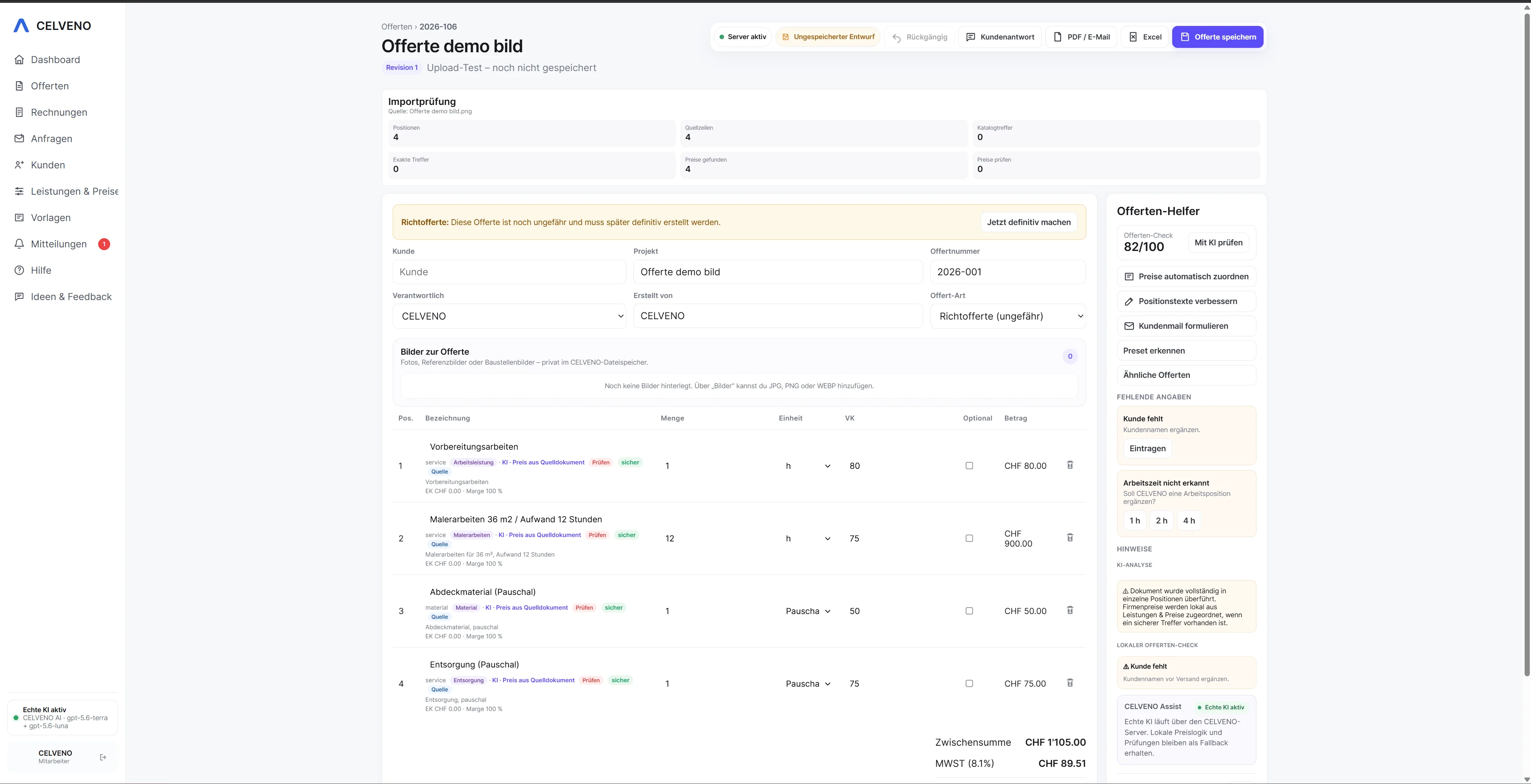
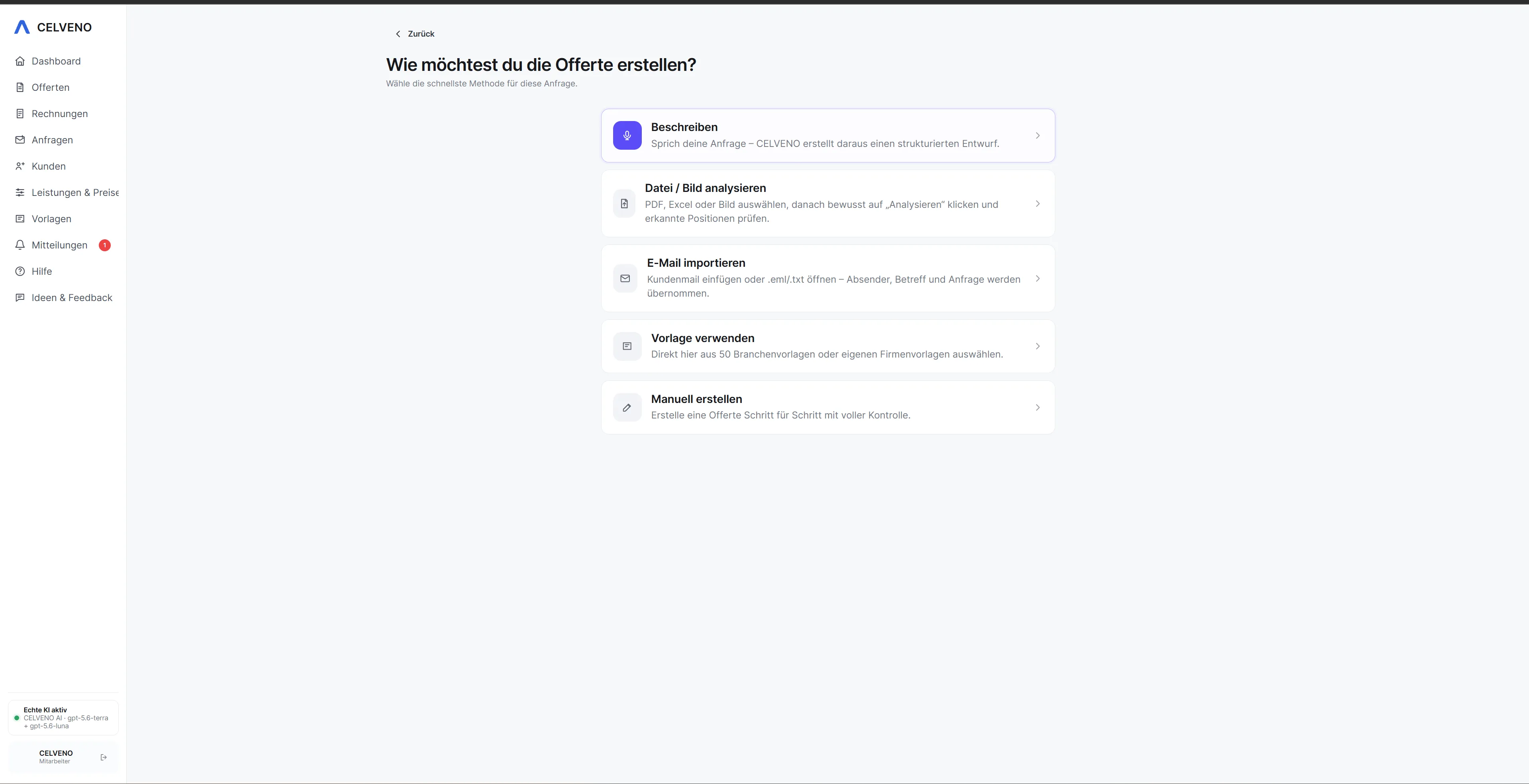
24 real product views
Quotes, imports, catalogue, customers and invoices.
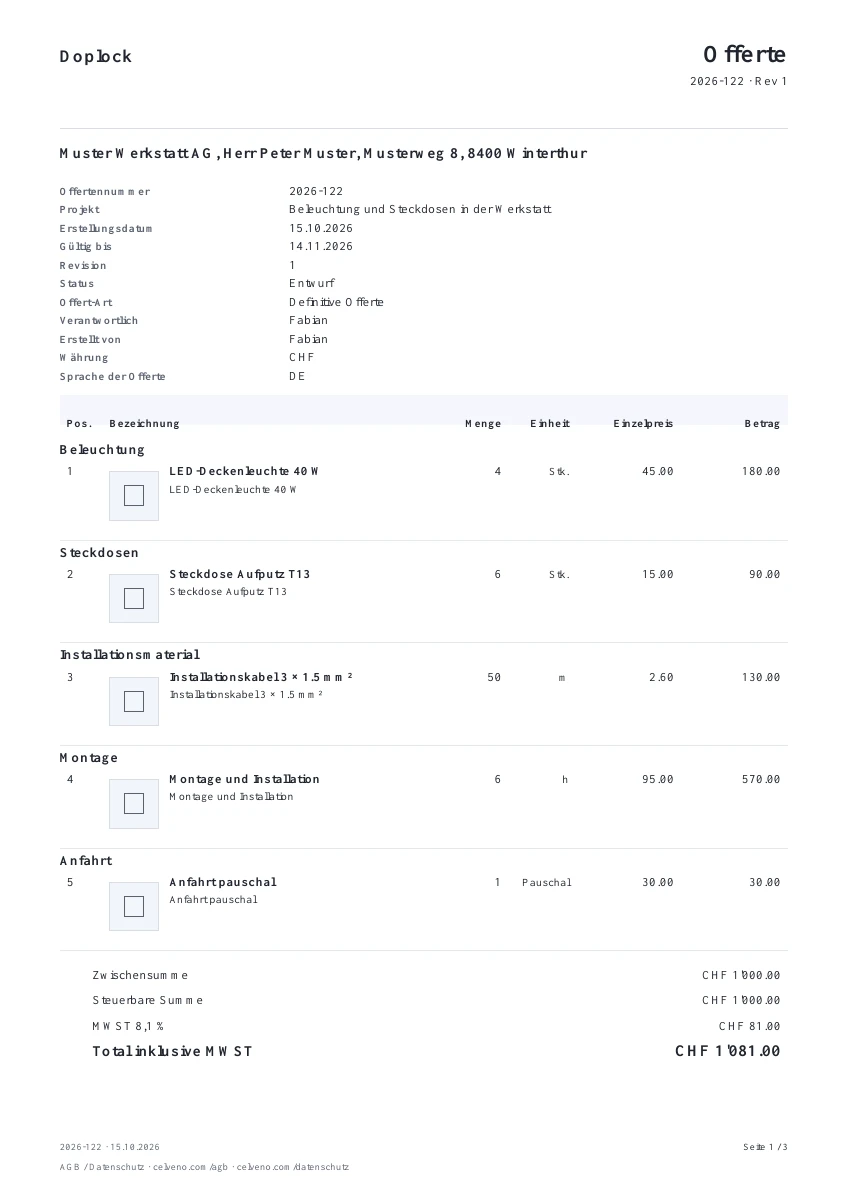
Actual CELVENO export · demo quote in draft status · original document in German. The PDF contains 3 pages including an image attachment. The example prices are not CELVENO subscription prices.View demo PDF · 3 pages ↗View an additional worked example
CELVENOCustomer view · illustration
Quote: Installation work
Example project · Fictional data
Example quote items
Service
Qty
CHF
Installation · CHF 90/h
2 h
180.00
Materials
1
80.00
Subtotal
260.00
VAT in this example · 8.1%
21.06
Total CHF
281.06
Optional: additional travel CHF 40.00 net — not included in the total.
Illustration using fictional values, not an original PDF export. See the actual document layout in the demo.
Customer changes & revisions — see an example
When the enquiry changes
Understand the change. Identify the new version.
A customer needs a different quantity? Review the adjustment and continue with a traceable quote revision.
Simplified example
Customer request
“Please quote for 12 instead of 10 units.”
Previous revision10 × CHF 25CHF 250
→
After your review12 × CHF 25CHF 300
Net item amounts. AI suggestions are applied only after your approval.