

PDF → Quote
Prepare a quote from a PDF
Received a customer enquiry, specification or parts list as a PDF? CELVENO can analyse its contents and prepare recognised items for a controlled import.
An everyday example
Turn an enquiry into a quote you can review
Start manually or from existing documents. Add items from your catalogue and review quantities and prices before exporting the PDF.
Enter · review · export as PDF
Illustrative workflow, not a customer testimonial.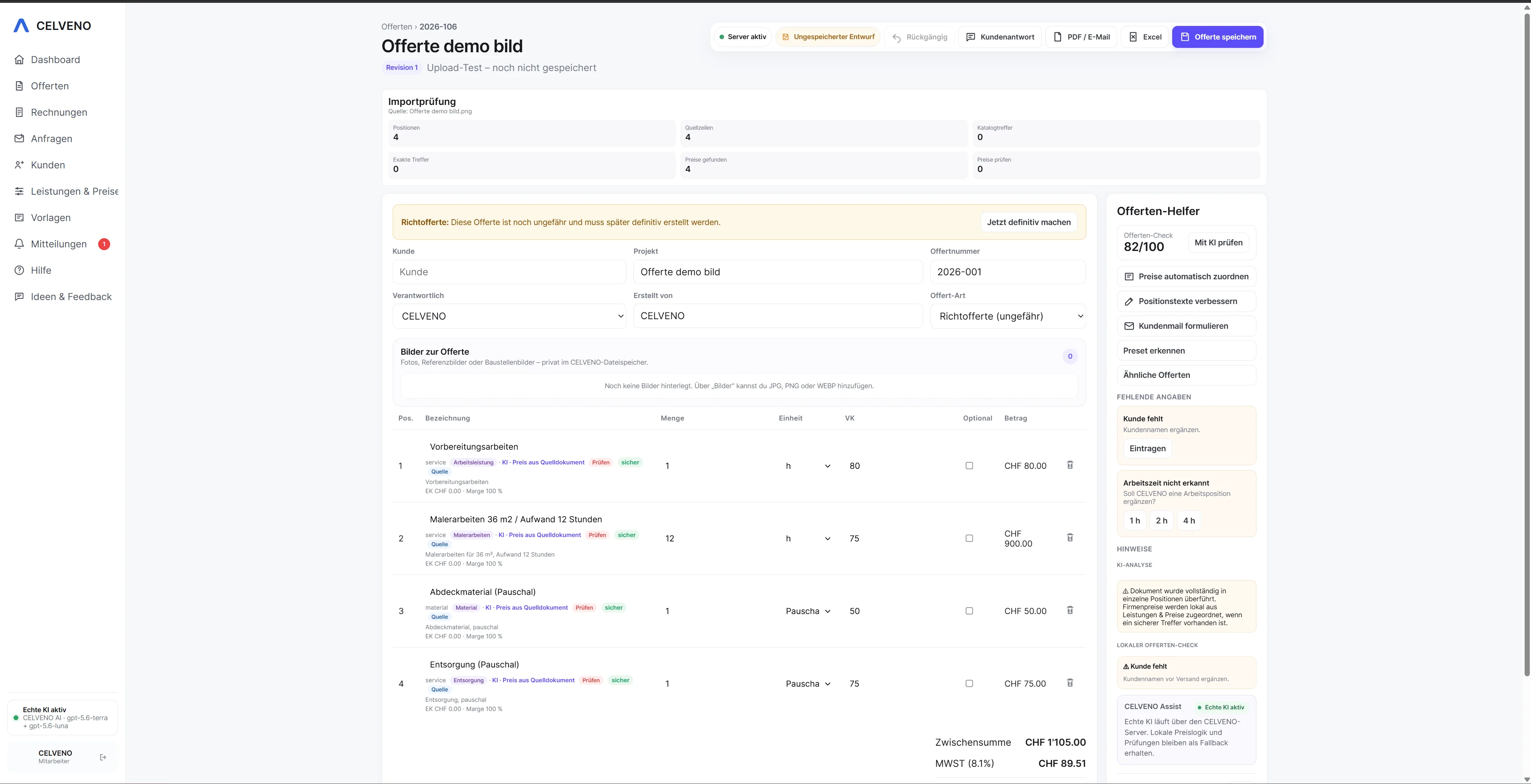 Open view ↗
Starting point
From scattered information to a clear quoting process.
PDFs are easy to read but harder to use for further calculations. Relevant content can be recognised and structured, then checked, reducing manual retyping.
How CELVENO supports you
- Use a PDF as your starting point to reduce retyping
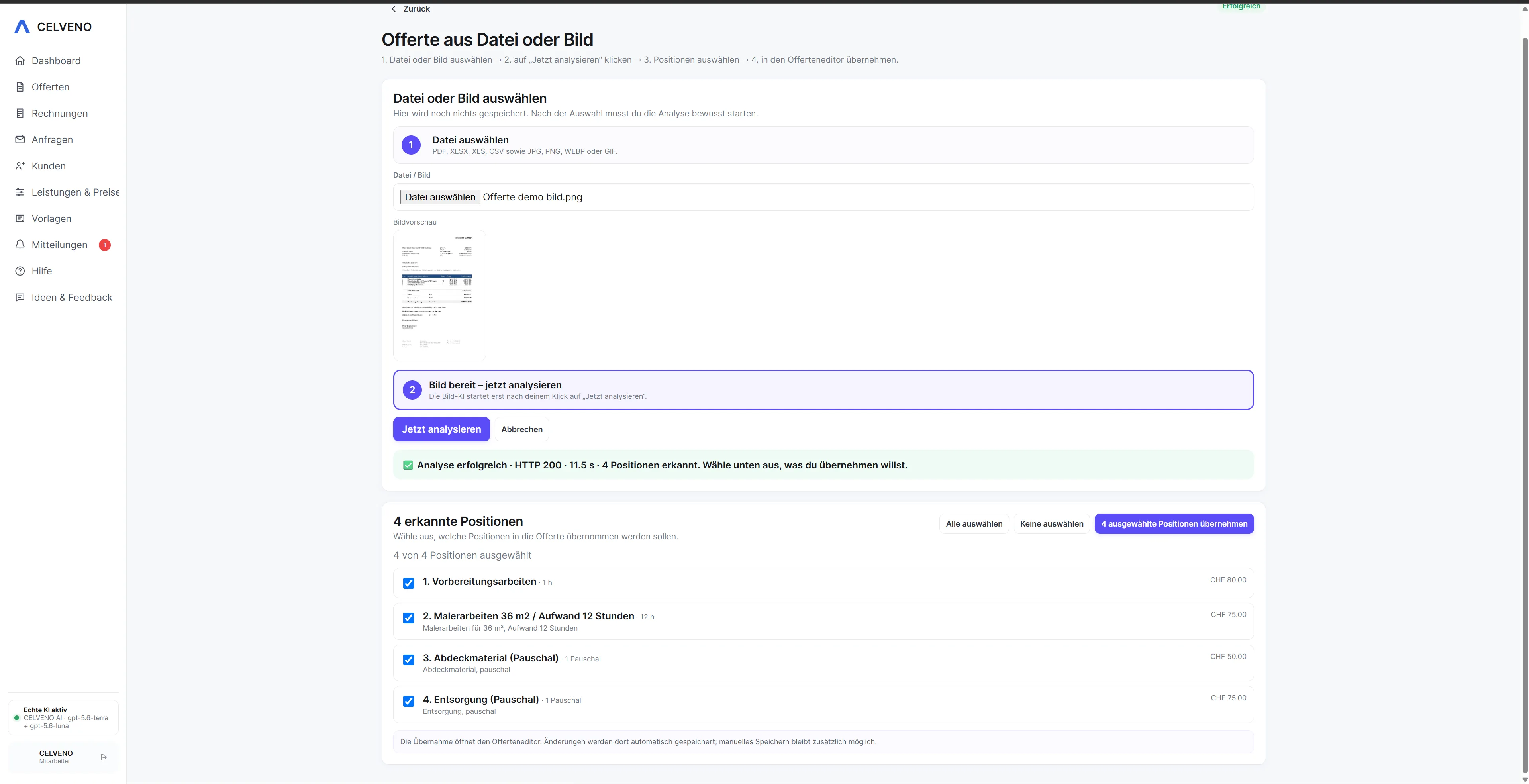
- Review recognised items before importing
- Match known services and products to the catalogue
- Check quantities, units and descriptions
- Calculate internal prices and margins separately
- Continue editing the quote as usual
Workflow
Turn an enquiry into a quote you can review.
Every step stays visible. Automation helps where it saves work, while approval remains with the user.
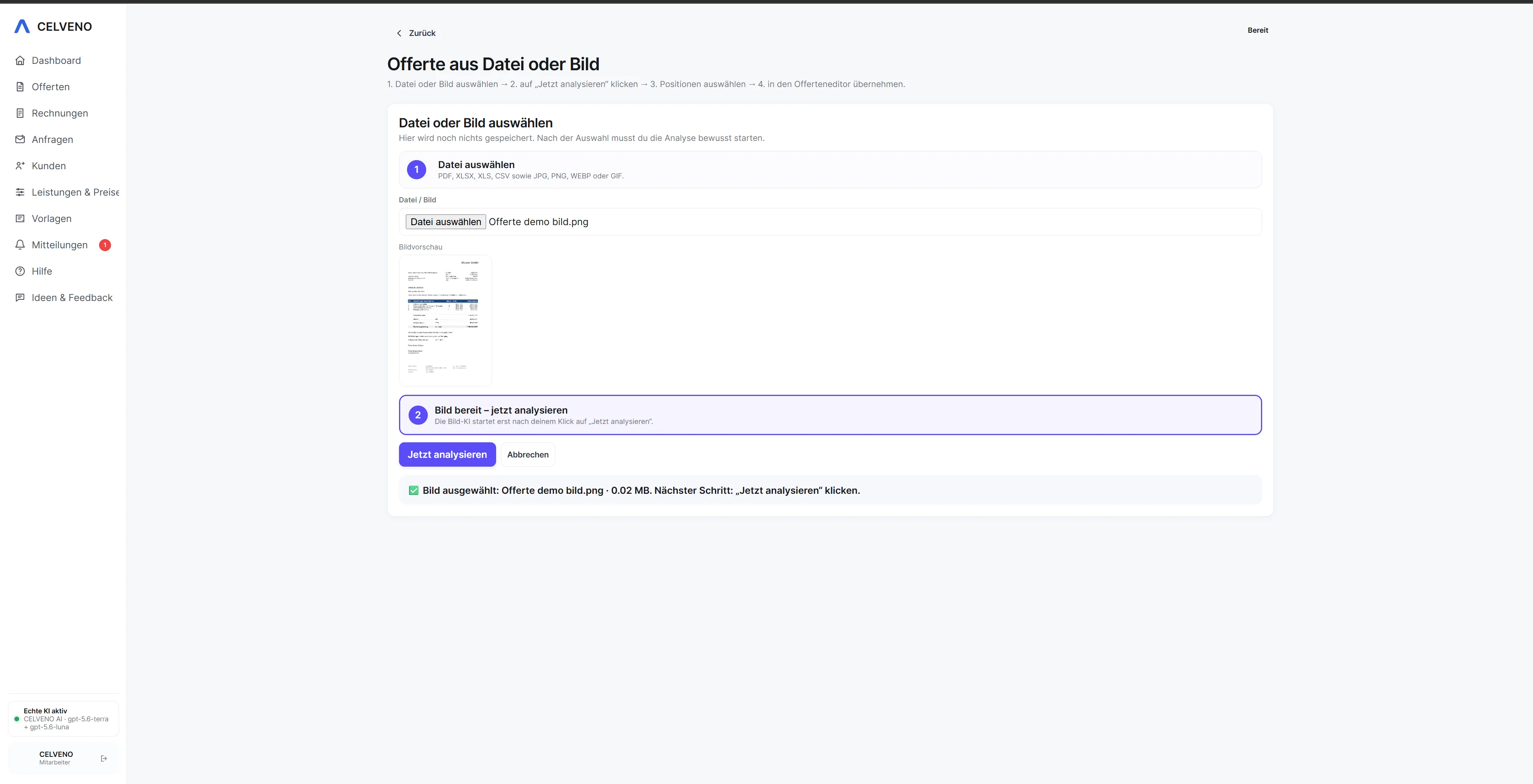
1Upload a PDF
2Analyse document contents
3Check recognised items and fields
4Assign catalogue items and prices
5Complete and approve the quote
Real product views
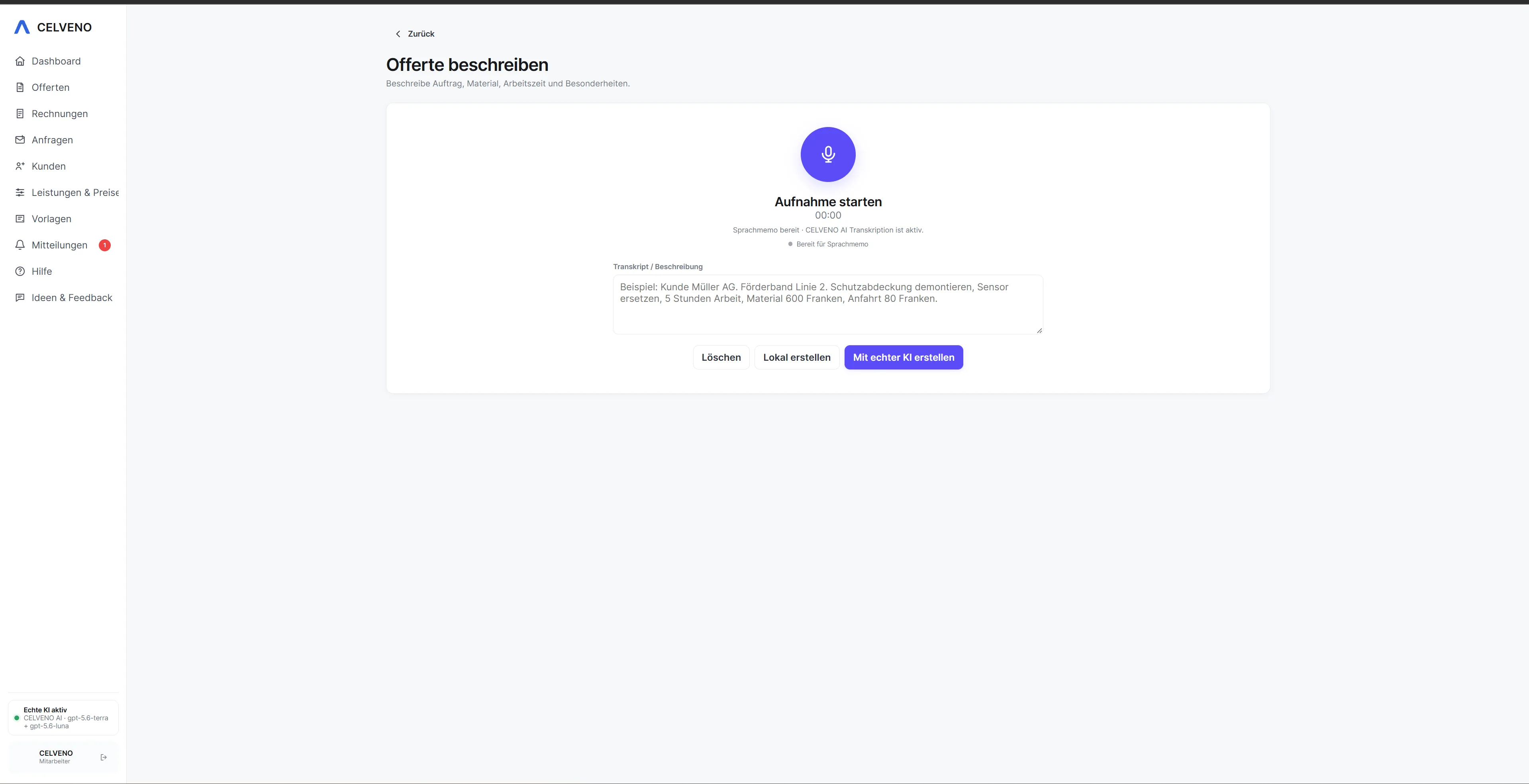
See the workflow in CELVENO.
The following screenshots show actual areas of CELVENO.
FAQ
Frequently asked questions about Create a quote from a PDF
Is a PDF converted into a quote without review?
No. Analysis provides a starting point. Recognised content, items and prices must be reviewed before they become a binding quote.
More solutions