

Prepare quotes from PDF, Excel, images or emails
Not every enquiry arrives neatly structured. CELVENO helps bring PDFs, Excel lists, images and emails into a quoting process you can control.
Turn an enquiry into a quote you can review
Start manually or from existing documents. Add items from your catalogue and review quantities and prices before exporting the PDF.
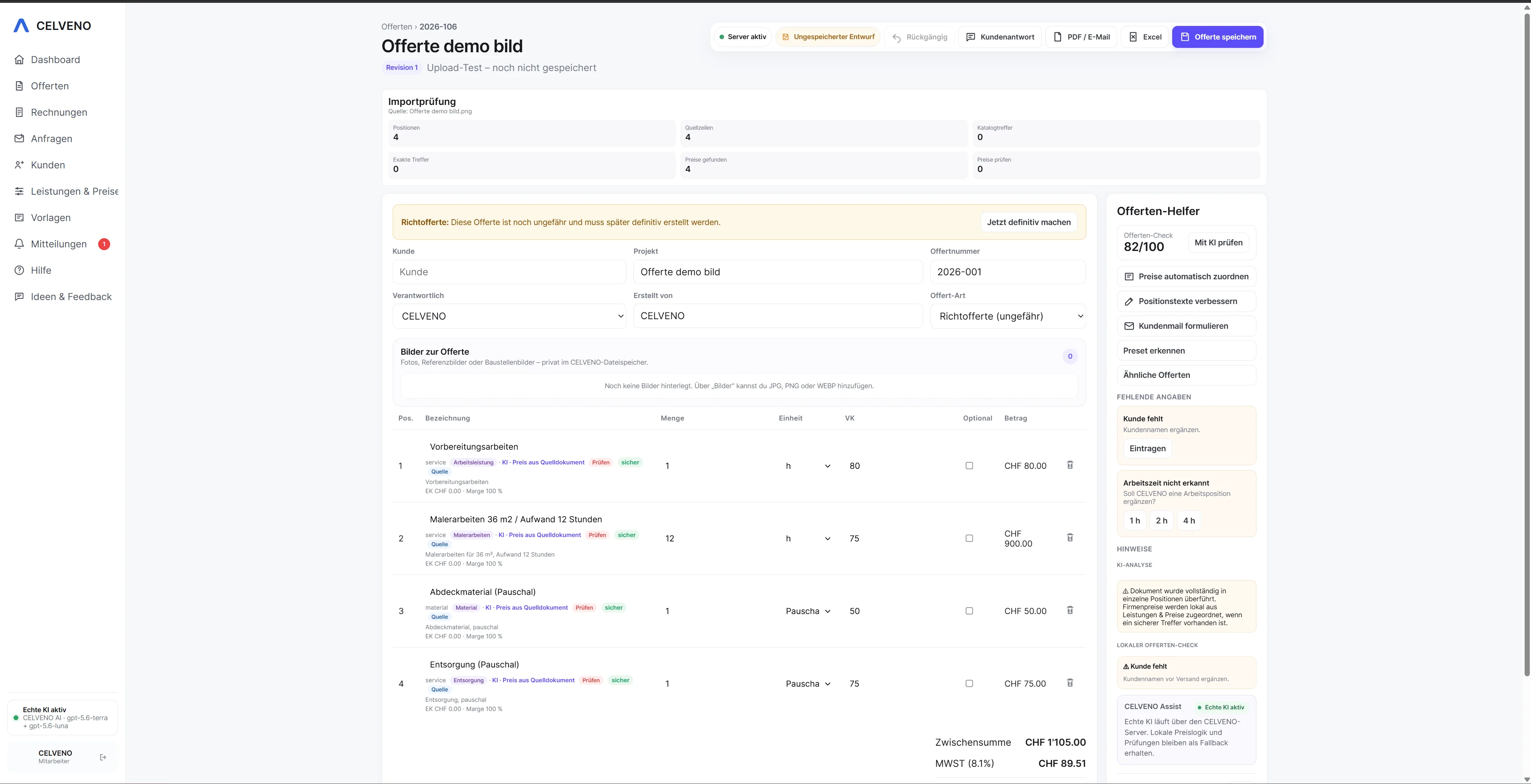 Open view ↗
From scattered information to a clear quoting process.
Manual copying takes time and introduces errors. Automated imports must also avoid accepting prices or technical content without review. CELVENO therefore separates analysis, review and approval.
How CELVENO supports you
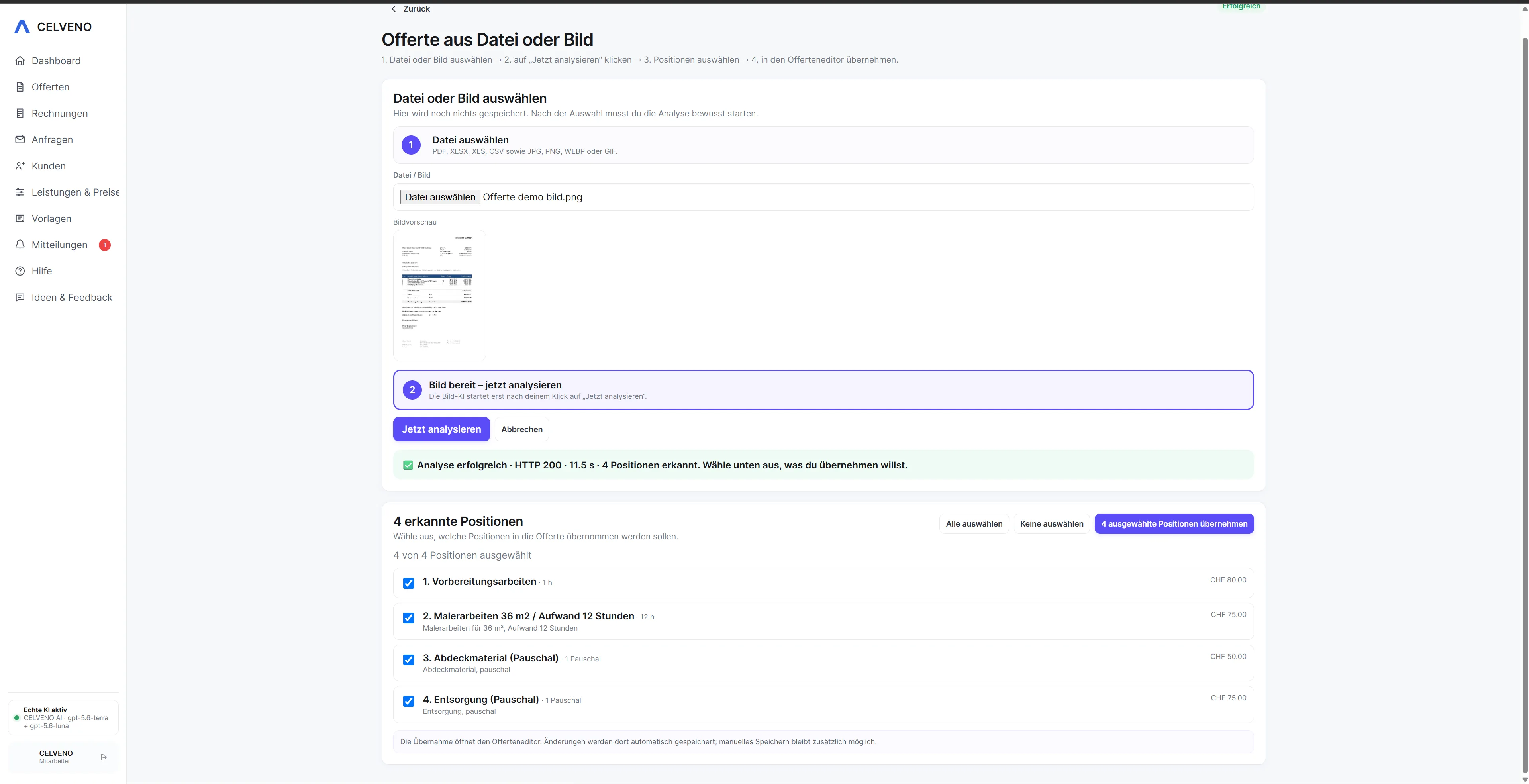
- PDF, Excel, images and emails as input sources
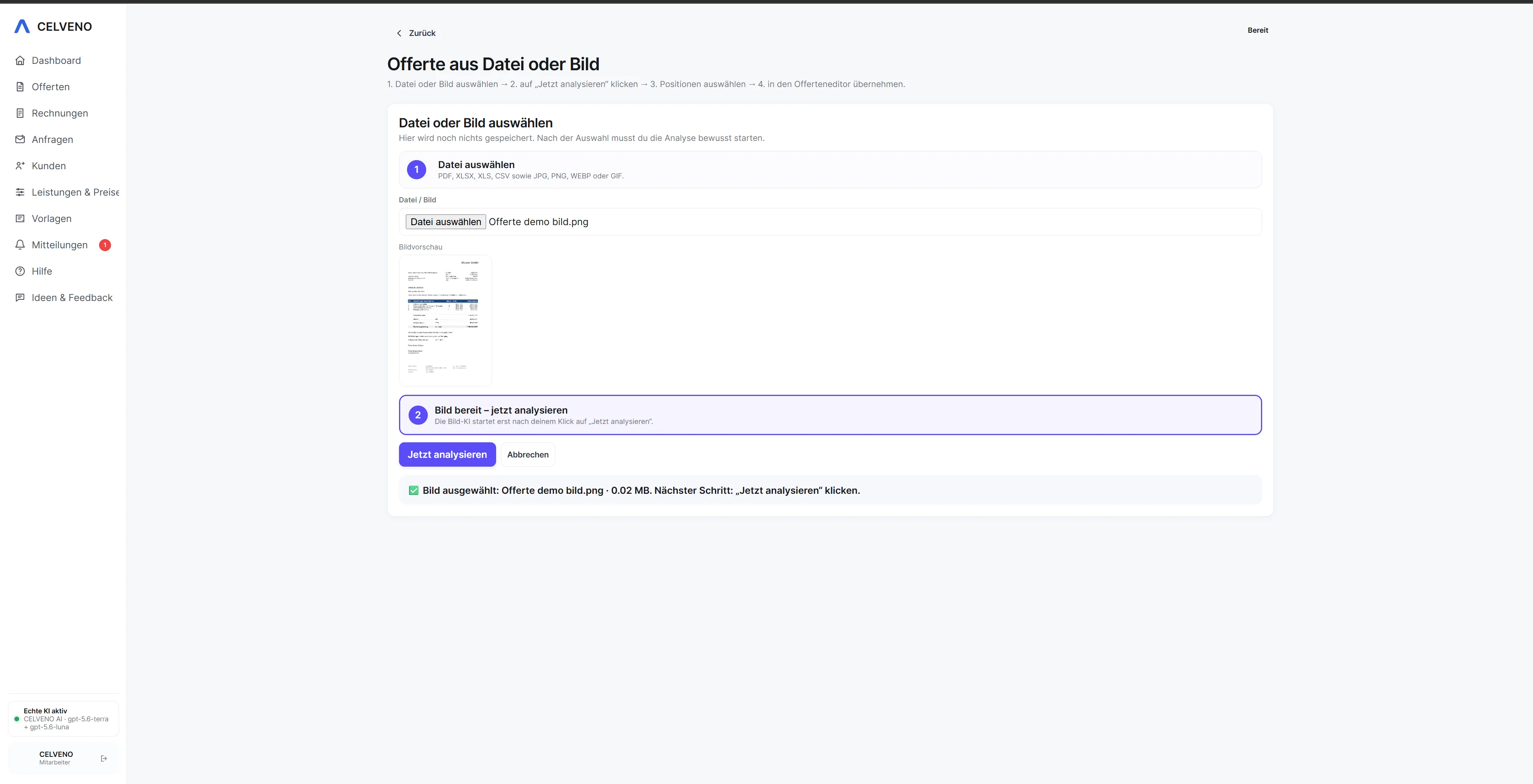
- Review recognised items before importing
- Match catalogue items and known prices
- Fill in missing information precisely
- AI assistance with human decisions
- Continue costing, revising and exporting after import
Turn an enquiry into a quote you can review.
Every step stays visible. Automation helps where it saves work, while approval remains with the user.
See the workflow in CELVENO.
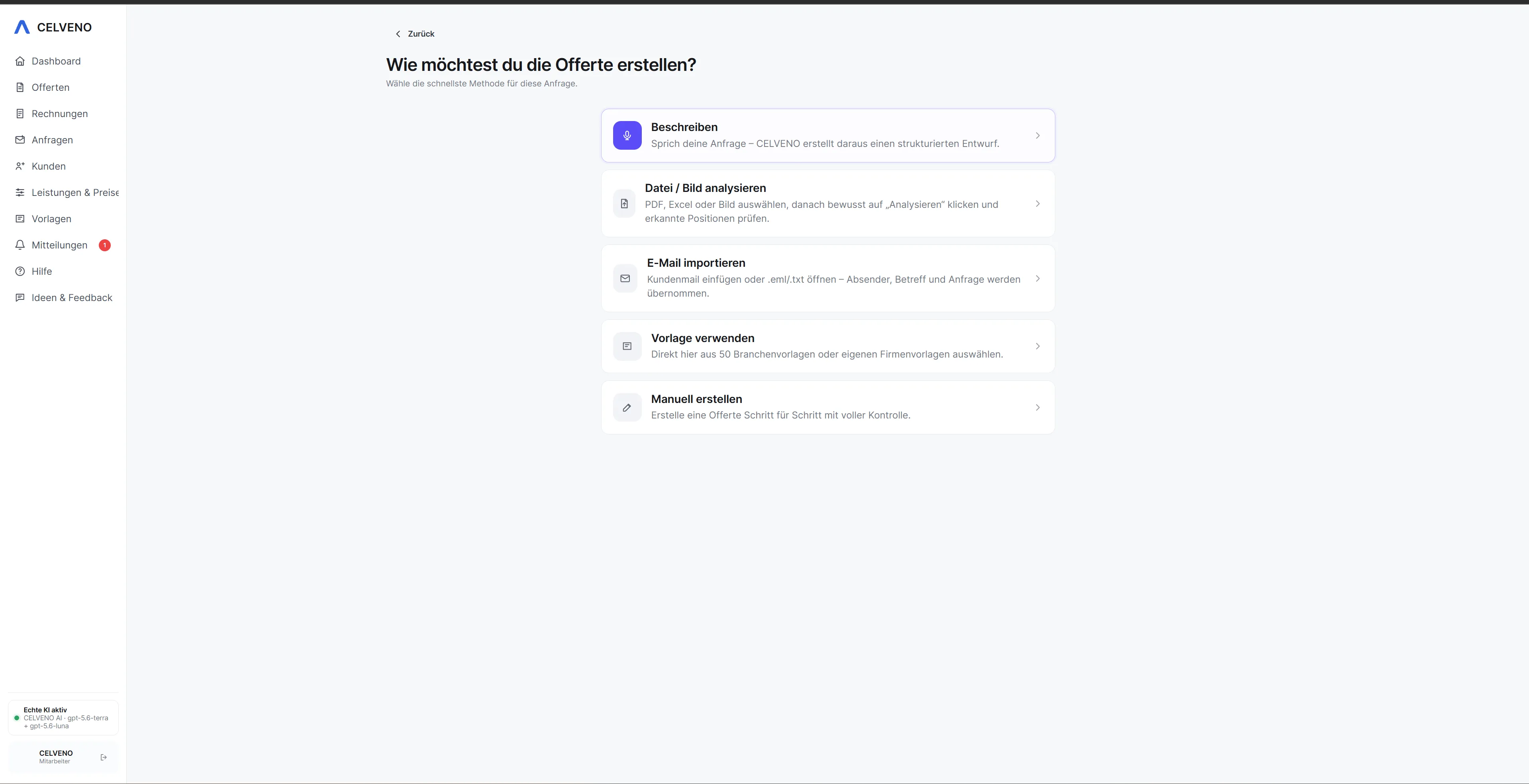
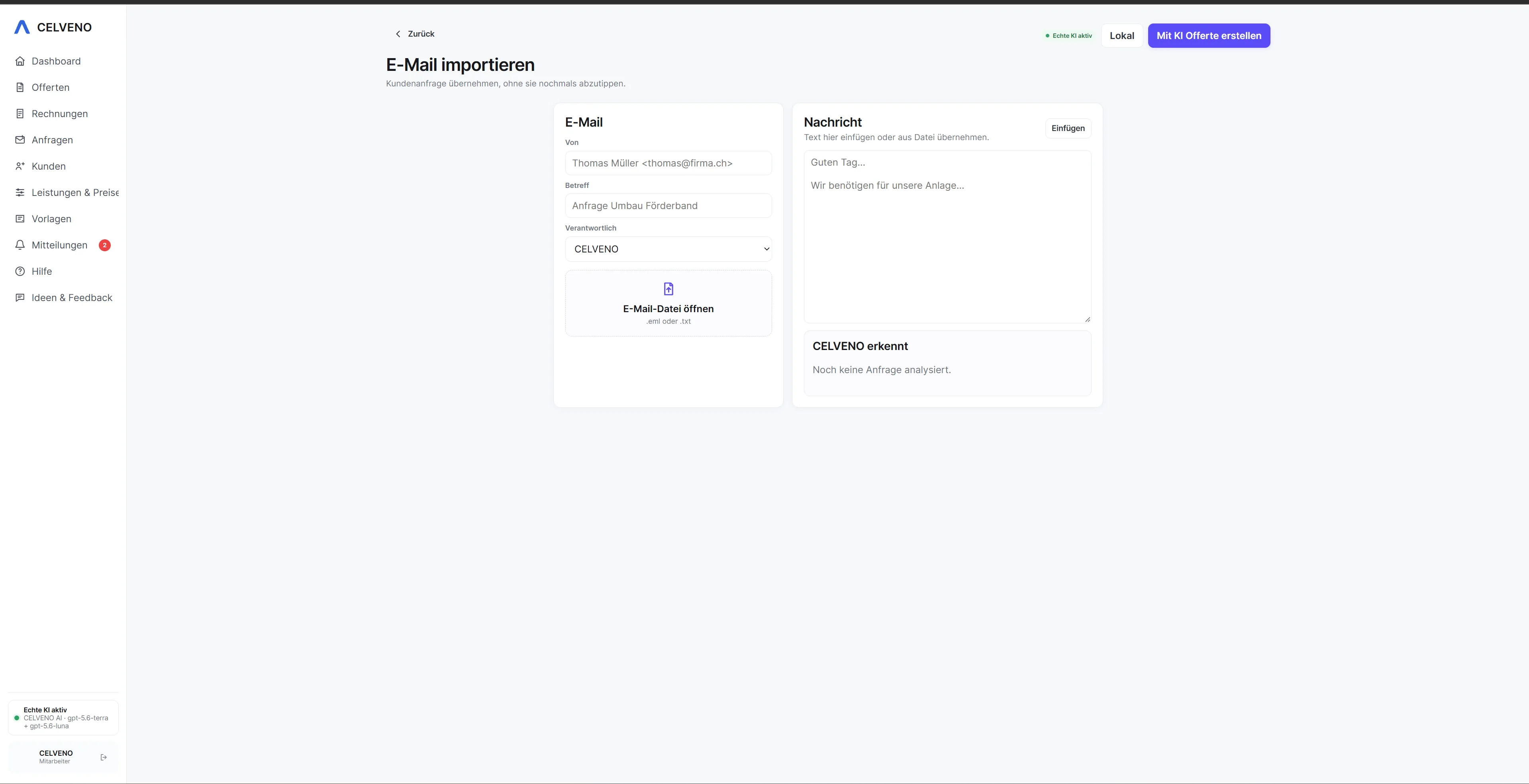
The following screenshots show actual areas of CELVENO.
Frequently asked questions about Create a quote from PDF or Excel
Which file sources does the quoting process support?
CELVENO supports manual entry and processing of PDF, Excel, image and email content, among other sources.
Are recognised prices accepted automatically?
Recognised content is a suggestion. Prices and technical details must be checked and confirmed against reliable company sources.
Can I continue working normally after import?
Yes. After a reviewed import, items become part of the regular CELVENO quote and can be costed, supplemented and revised.
Can I start manually instead of importing?
Yes. Document import is an additional option and does not replace manual quote creation.