

AI for quotes, with you in control
CELVENO AI helps structure, analyse and write. Prices and changes are reviewed by the user before they are applied.
Turn an enquiry into a quote you can review
Start manually or from existing documents. Add items from your catalogue and review quantities and prices before exporting the PDF.
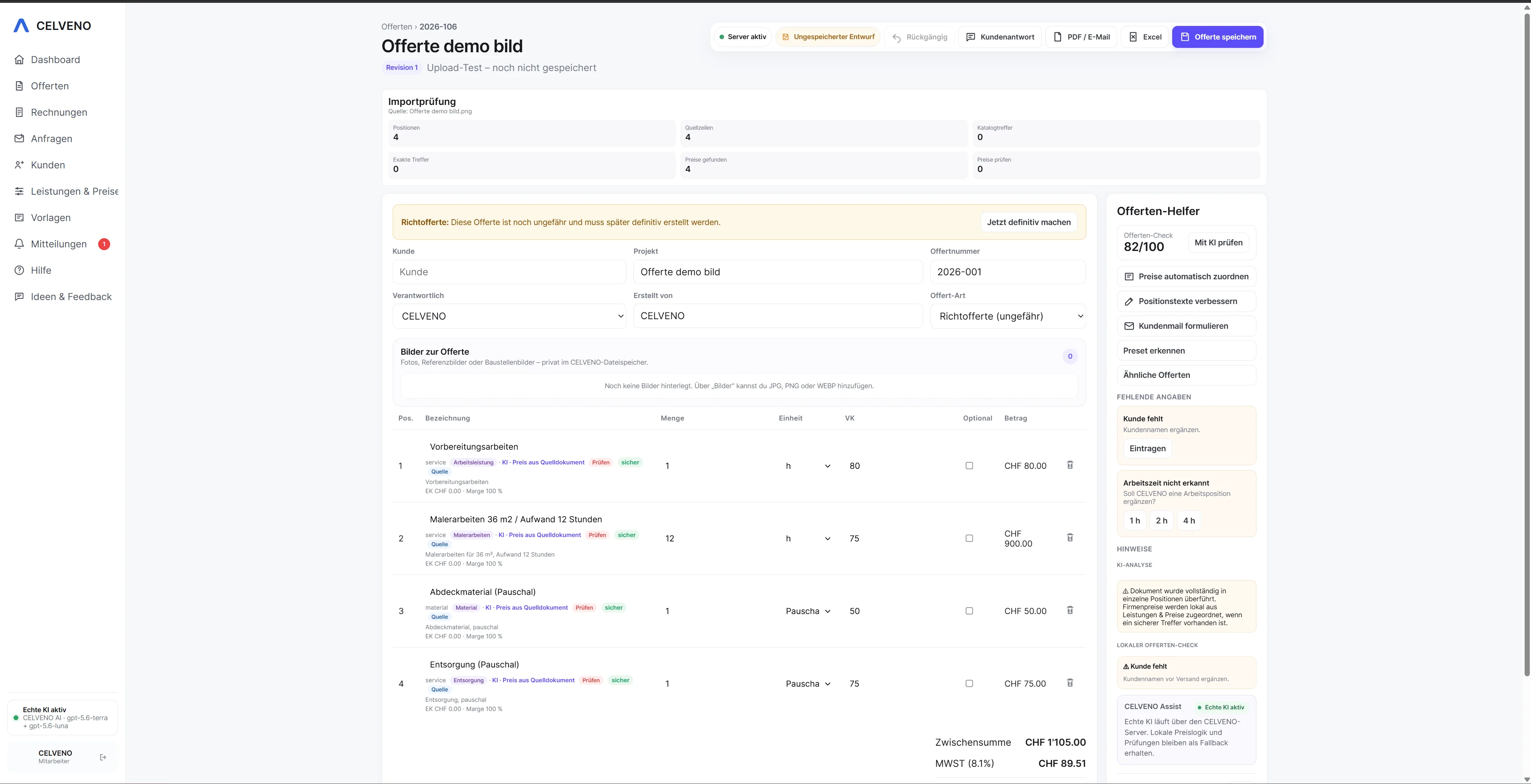 Open view ↗
From scattered information to a clear quoting process.
Speed is only one part of using AI for quotes. Suggestions must remain traceable, and binding changes must only be applied after human review.
How CELVENO supports you
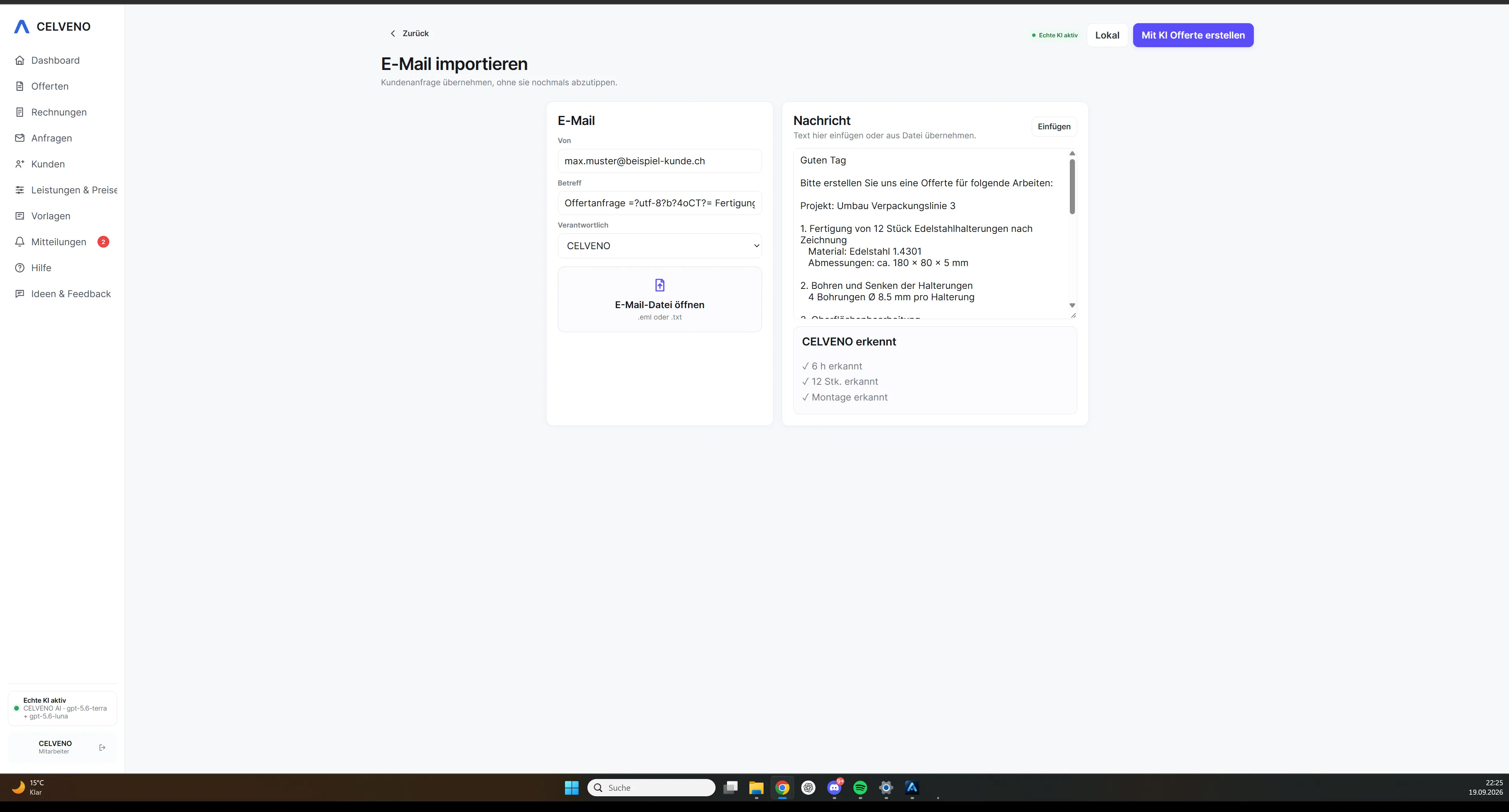
- Structure enquiries and documents
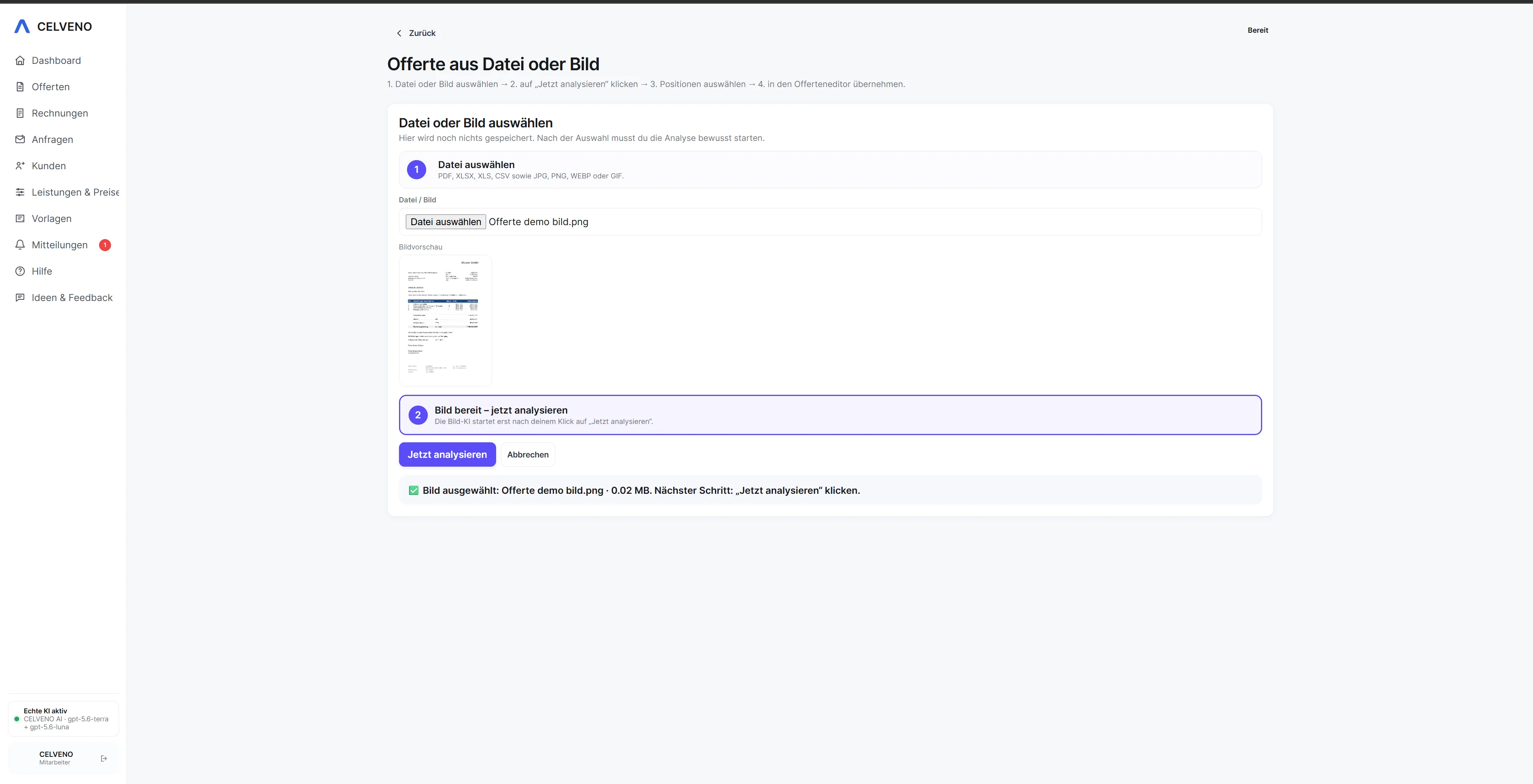
- Analyse PDF, Excel, image and email content
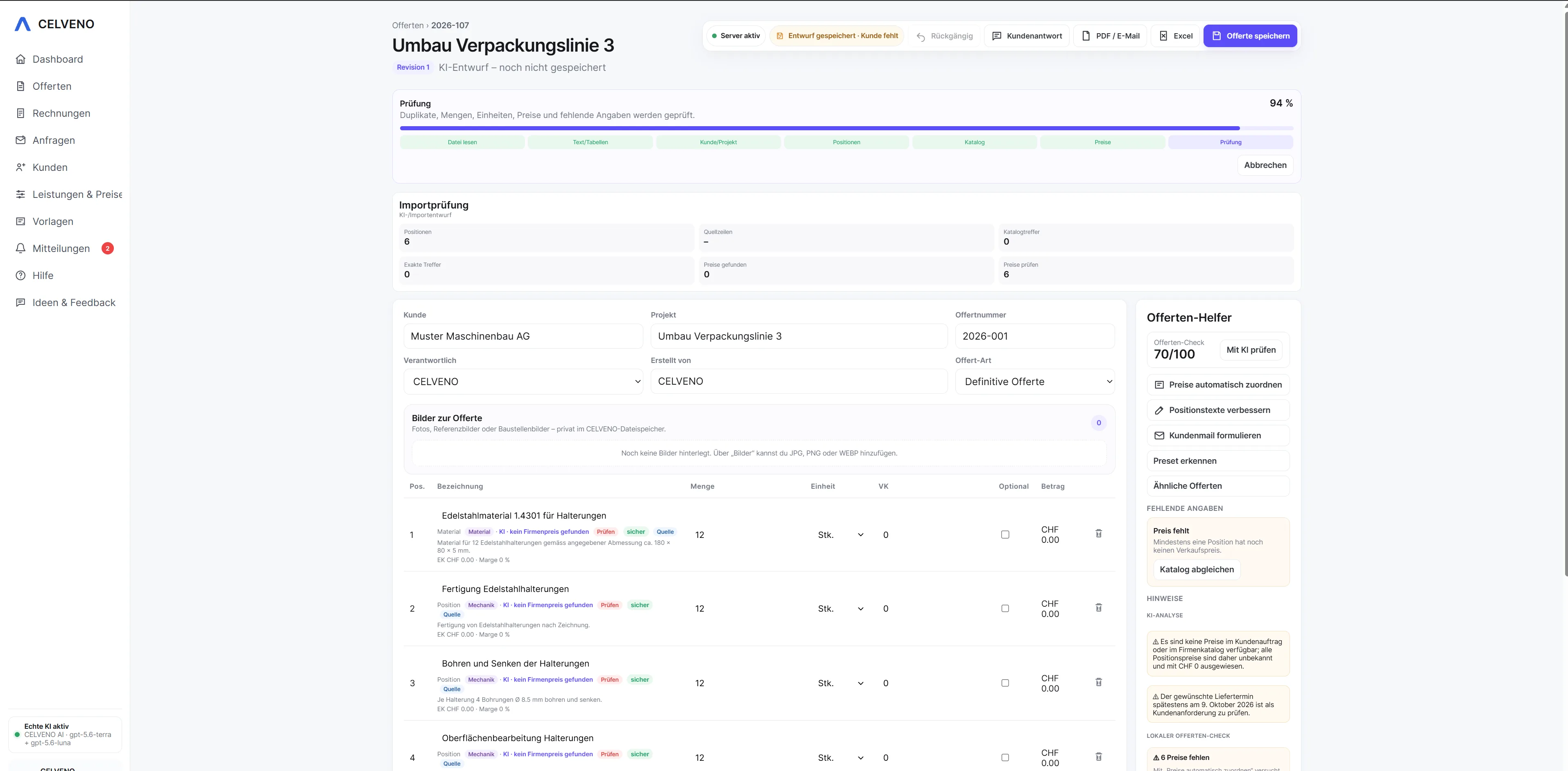
- Recognise and match catalogue items
- Check customer replies for requested changes
- Prepare covering text and emails
- Check quotes for missing information before sending
Turn an enquiry into a quote you can review.
Every step stays visible. Automation helps where it saves work, while approval remains with the user.
See the workflow in CELVENO.
The following screenshots show actual areas of CELVENO.
Frequently asked questions about AI quoting software
Does CELVENO AI decide prices itself?
No. CELVENO AI is designed as an assistant. Binding prices should come from verified company sources, and results must be checked before use.
Do AI changes become binding automatically?
No. Suggested changes should only be applied to a quote after the required user approval.
Is CELVENO AI included in every plan?
No. AI features are only available in the designated CELVENO AI plans.
What input can CELVENO AI process?
Depending on the feature, text, emails, PDFs, tables, images and other documents can be used as a basis for suggestions.